

AI automation that gives your team its hours back.
We find the repetitive work that sits between your tools and automate it with reliable workflows. Where rules are not enough, we add AI steps that read documents, sort requests and write first drafts.
Workflow automation with AI where it counts
Most teams lose hours every week to copy and paste: leads moved from forms into the CRM, invoices typed into accounting, orders checked against spreadsheets, reports assembled by hand. Each task is small. Together they slow everything down and invite mistakes.
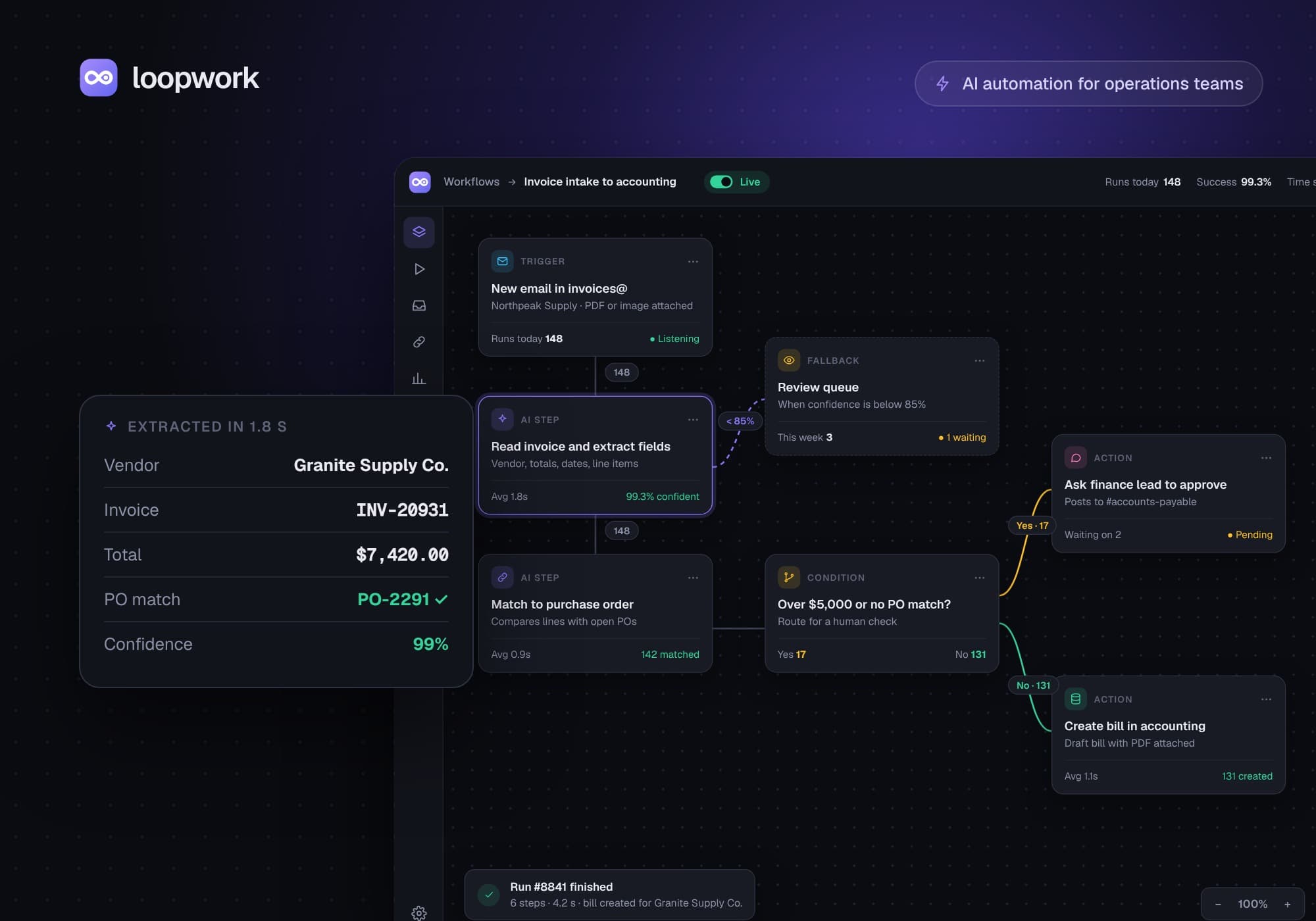
We automate these processes end to end. Simple steps run on proven workflow tools such as n8n, Make or Zapier, or on custom code when you need more control. AI handles the parts that used to need a person: reading an invoice, classifying an email, summarising a call or drafting a reply.
Every automation is monitored. If something fails it retries, then alerts the right person with the details, so nothing breaks silently. You also get documentation and a walkthrough, so your team can change the workflows later.
Everything it takes, in one team.
Process audit
Where the time goes today, and which steps are worth automating first.
Workflow build
Triggers, branches and retries between your apps, built to run on their own.
AI steps
Document reading, classification and drafting where rules alone are not enough.
Integrations
CRM, billing, support, spreadsheets and internal databases, connected.
Monitoring
Alerts when something fails, and a log of every run.
Handover
Clear documentation and a walkthrough for your team.
Typical projects
- Route and enrich new leads in your CRM
- Sync orders, invoices and customers between tools
- Read documents and fill in your systems
- Sort and answer incoming emails
- Weekly reports that build themselves
Four steps, weekly demos.
- 01
Audit
We look at how the work is done today and pick the first workflows.
- 02
Build
Workflows built and tested on real data, released in small weekly steps.
- 03
Run
Monitoring and alerts, so a failure never goes unnoticed.
- 04
Extend
We measure the time saved, then automate the next process.
- n8n
- Make
- Zapier
- Python
- Supabase
- OpenAI
Straight answers.
Anything repetitive that follows a pattern: data entry between tools, lead routing, invoice and document processing, email sorting, reporting and follow up emails. If a person does the same steps every day, it is usually a good candidate.
Usually not. We connect the tools you already use and only suggest a change when it clearly saves time or money.
All three, and custom code when a workflow needs more control or volume. We recommend the option that is cheapest to run and easiest for your team to maintain.
It retries, then alerts the right person with the details. Nothing fails silently.
Yes. We document every workflow and walk your team through it at handover.
Let’s build
what’s next.
Tell us what you want to build or fix. We will tell you what will work, what it will take and what it will cost.