
Nod by n8n: a free AI agent that chases invoices, with your approval
Nod is a free, open source personal agent from the team behind n8n. It runs on your computer, works across Gmail, Slack and the web, and asks before it acts. What it does, what it costs and the risks.

On 10 November 2026, the team behind n8n, the workflow automation tool many agencies build on, announced Nod: a free, open source AI agent that runs on your own computer. It reads your email and calendar, works on real websites, and asks before it acts for you.
Its first examples are the jobs small business owners put off every week: chasing an unpaid invoice, cancelling a free trial before it charges, preparing for a client call. This post covers what Nod does, what it costs, and what to know before you give it your logins.
The short answer
Nod is a personal assistant that runs errands for you. It has its own browser and workspace, connects to Gmail, Calendar, Slack, Notion and other apps, and can be messaged from its app, Telegram or WhatsApp.
The app is free. You pay for the AI model behind it. It is a research preview, so it is worth trying on low risk tasks, with payments and anything sensitive kept in your own hands.
What Nod does
n8n describes three everyday uses on the project page:
- Prepares your calls. Every morning it reads your messages, your calendar and the client's latest news, and writes a one page brief for each call.
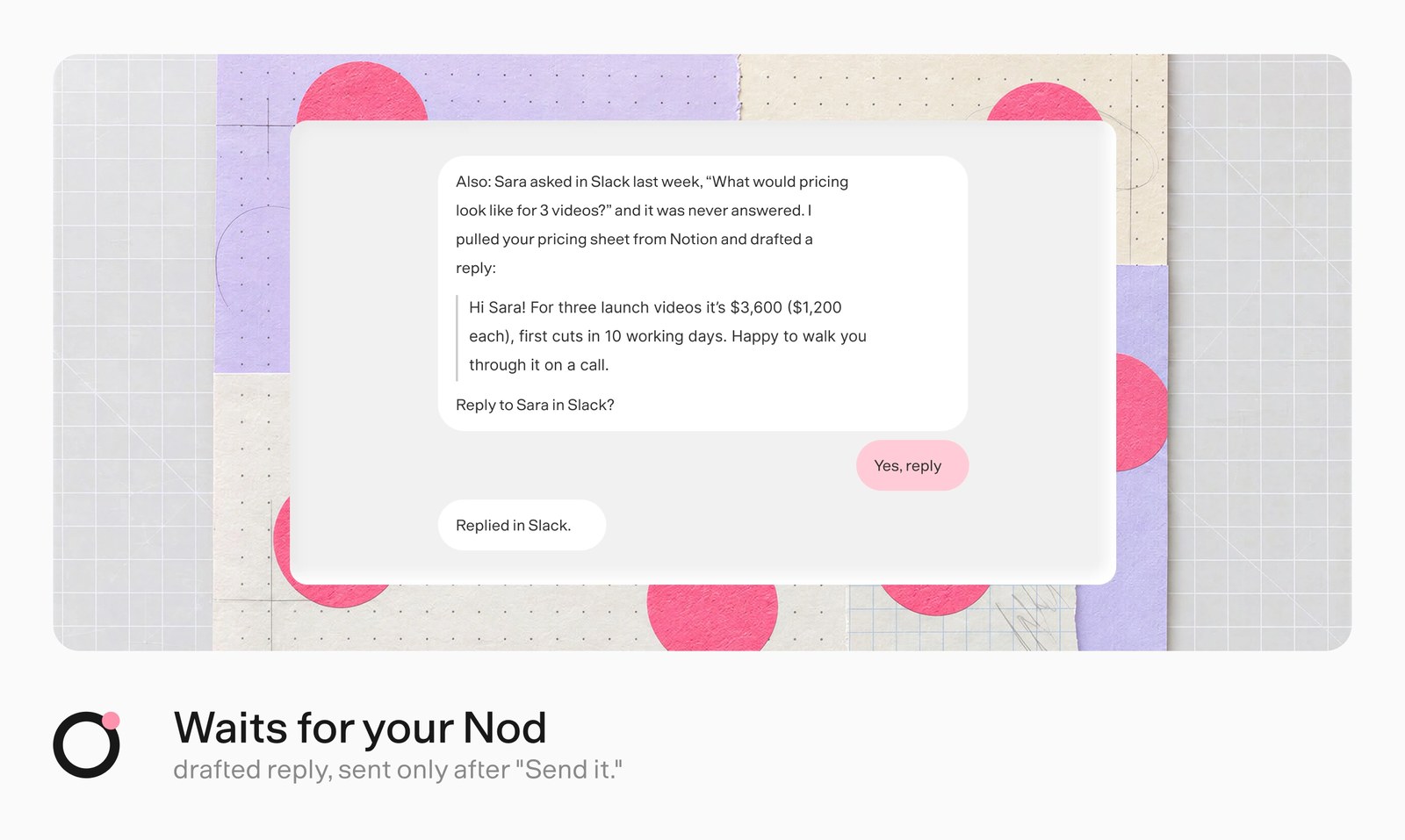
- Drafts replies and waits. It drafts the reply you owe, using your own documents such as a pricing sheet, and sends it only after you say yes.
- Watches pages for you. It checks a page on a schedule, such as a competitor's prices or a supplier's stock, and tells you only when something changes.
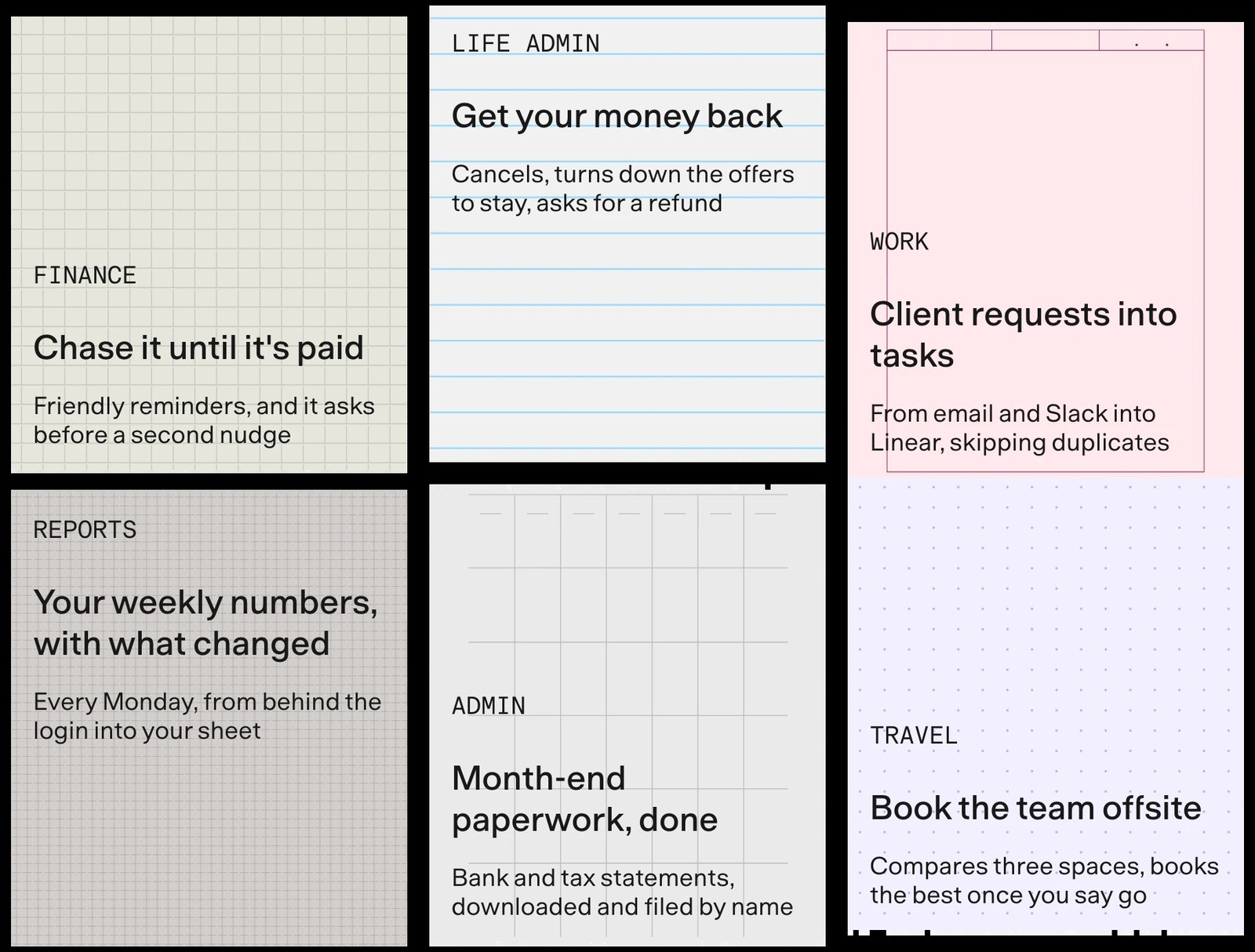
It also takes on longer errands that need logins and forms, because it has its own browser:
- chasing an invoice with friendly reminders until it is paid
- cancelling a subscription and asking for a refund
- turning client requests from email and Slack into tasks
- pulling your weekly numbers from behind a login into a sheet
- downloading bank and tax statements and filing them by name
It also remembers what you tell it. Say once that Anna, not Bob, handles invoices, and it uses that from then on. Every note it keeps is visible, and you can edit or delete it.
How it keeps you in control
Nod is built around one idea: it does the work, and you give the nod. The safeguards, according to n8n's docs:
- Approvals. Anything you did not ask for waits for your yes. A check in the server, separate from the AI's instructions, reviews each action against your request and your rules.
- A vault for passwords. Passwords, codes and card numbers are entered on the website by a separate vault, so the AI model never sees them.
- Spending limits. With an API model, each task shows its cost. The default monthly cap is $200, and it checks in with you when a single task passes $5.
- A full record. Every action and sign in is logged, so you can see exactly what it did.
- Your computer, your model. Files, memory and saved logins stay on the machine running Nod. You choose the AI provider.
What it costs
The Nod app is free and open source under the Apache 2.0 licence. You need a model to run it, in one of three ways:
- Sign in with a ChatGPT Plus or Pro subscription.
- Add an API key from OpenAI, Anthropic, Google or more than 20 other providers, and pay per use.
- Run a free local model on your own hardware. The docs say small models make the safety check weaker.
n8n says its own test errands cost about $0.10 to $0.50 each with an API model, and shows a simple Gmail reply at about $0.02. It does not publish an average, so watch the cost of your first few tasks.
What to know before you trust it
n8n is open about the limits, and they matter for a business:
- It is a research preview. About 50 versions shipped between late October and late November. Expect changes and bugs.
- The safety check is an AI's judgement. n8n's own docs say no checker is immune to prompt injection, where a web page or email tries to give the agent instructions. Once Nod is signed in to a website, it can act anywhere on that site.
- Pick a capable model. In n8n's tests of 240 safety decisions, the top models from OpenAI and Anthropic got every one right, while a smaller, cheaper model let 8 unsafe actions through.
- WhatsApp uses an unofficial link by default. The quick setup connects through an unofficial WhatsApp client, and the docs warn of a small risk of account restrictions. Use a separate number, or the official Meta option if you can run your own server.
- Some data leaves your computer. Basic usage data is shared with n8n by default. You can turn it off under Settings, Privacy and data. App connections go through a service n8n hosts.
- It only works while your computer is on. Schedules stop when the machine sleeps, unless you run it on a spare computer or server.
- The impressive numbers are n8n's own. The 98% of 226 test errands finished and zero unsafe actions come from n8n's simulated tests in October 2026. n8n itself says they are test results, not a guarantee.
How it compares
Nod arrives in a busy few months for personal AI agents:
| Agent | From | How you get it |
|---|---|---|
| Nod | n8n | Free app on your own computer, bring your own model |
| Muse | Meta | Cloud app, US first |
| Dots | OpenAI | Inside ChatGPT, top paid plans in eligible markets |
| Claude Duet | Anthropic | Waitlist preview for US Pro and Max users |
| Teammates | Perplexity | Cloud, Max plan |
The difference is where it runs. The others run in the company's cloud and many started in the US only. Nod runs on a machine you control, and you can install it today from anywhere, including Pakistan.
Should your business try it?
Try it if you have a spare computer, a ChatGPT Plus subscription or an API key, and errands that eat your week: follow ups, reminders, reports and paperwork. Good first tasks are ones where a mistake costs little: call briefs, price watching and drafted replies you check before sending.
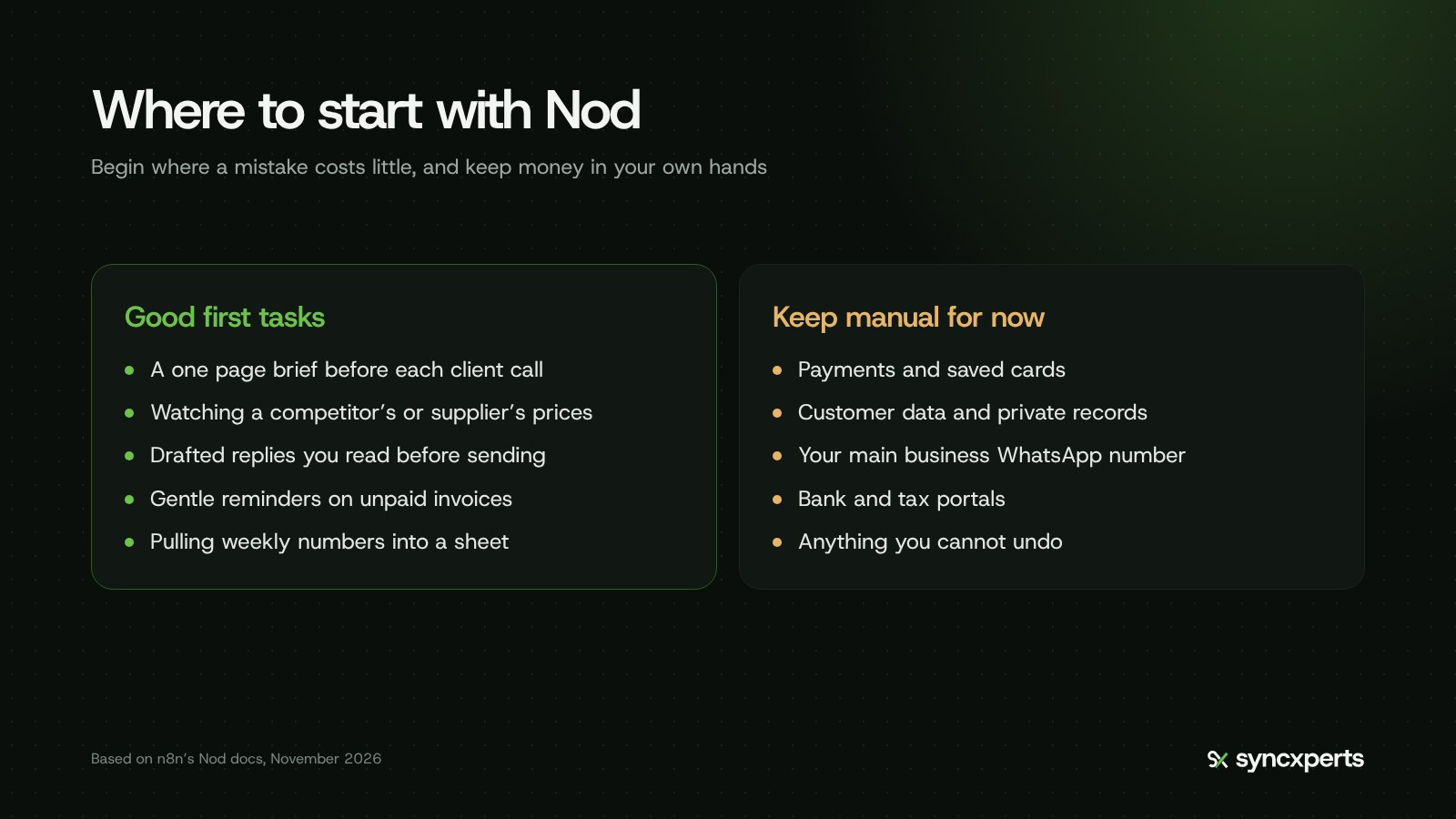
Wait, or get help setting it up, if the work involves customer data, payments or your main business accounts. Keep cards out of it at first, use a separate WhatsApp number, turn off usage sharing if you prefer, and read every approval before you tap yes.
Where we stand
We build automations and AI agents for businesses, often on n8n, so we follow tools like this closely. Nod shows where personal agents are heading: doing real errands, on your machine, with you in charge. It also shows the trade off clearly. The more logins and access you give an agent, the more careful the setup has to be.
If you want an assistant like this set up safely, or a simpler automation that does one job reliably, book a 30 minute call.
Sources
- Nod repository and README, GitHub
- Meet Nod, n8n blog, 10 November 2026
- Nod docs: how trust works
- Nod docs: where your data goes
- Nod docs: spending
- Nod docs: benchmarks
- Nod docs: connect a model
- Nod releases, GitHub
- Nod announcement, n8n Community
- Introducing Muse, Meta, September 2026
- OpenAI launches Dots, TechCrunch, 29 September 2026
- Claude Duet research preview, Unite.AI
- Teammates, Perplexity, November 2026
Product images are from the Nod repository by n8n GmbH, Apache License 2.0.
Questions owners are asking
Nod is a free, open source personal AI agent from the team behind n8n, announced on 10 November 2026. It runs on your own computer or server, works across Gmail, Calendar, Slack, Notion and real websites, and asks for your approval before it does anything you did not ask for.
The app is free under the Apache 2.0 licence. You pay for the AI model it uses: sign in with ChatGPT Plus or Pro, add an API key from a provider such as OpenAI or Anthropic, or run a local model. With an API key it shows the cost of each task and stops at a monthly limit.
No. Nod is a separate app made by the n8n team. You do not need an n8n account or workflows to use it.
Yes. You can message it from WhatsApp or Telegram. The quick setup links WhatsApp through an unofficial client, and n8n's docs warn of a small risk of account restrictions and suggest a separate number. Logins and payment approvals still have to be finished in the Nod app on the computer.
It has strong safeguards for an early product: approvals, a vault that keeps passwords away from the AI, spending limits and a full record of actions. But it is a research preview, its safety check is an AI's judgement, and n8n itself says no checker is immune to prompt injection. Start with low risk tasks and keep payments manual.
Not yet. Scheduled tasks run only while the computer running Nod is on. You can keep it always on by running it on a spare computer or your own server. A hosted version is on n8n's list of next steps.

Founder and CEO of Syncxperts. Builds AI agents, automation, websites and custom software for growing businesses.